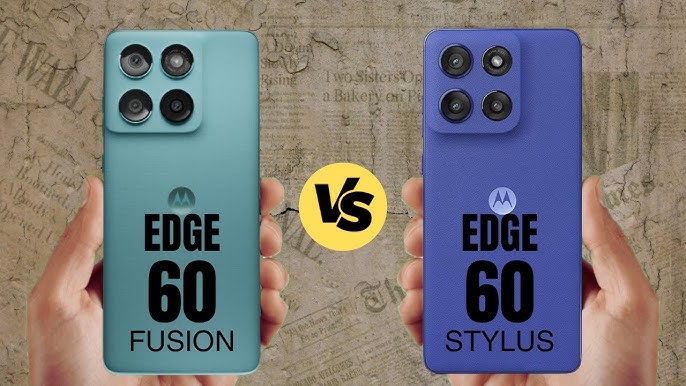
The Motorola Edge 60 Fusion and Motorola Edge 60 Stylus are two innovative smartphones from Motorola’s 2025 lineup, each tailored to distinct types of users and creative needs. Both devices share a sleek design, vibrant displays, robust performance, and the latest Android features, but they offer unique advantages that set them apart in real-world use.
The Edge 60 Fusion targets those who want top-tier processing power, longer battery life, and enhanced durability—with standout features like a brighter quad-curved display, Pantone color calibration, and IP69 water resistance. Meanwhile, the Edge 60 Stylus delivers powerful performance with the added productivity of a built-in stylus, making it an ideal choice for artists, note-takers, and professionals seeking precision and creativity on the go.
Whether comparing display brightness, battery endurance, camera capabilities, or the efficiency of stylus tools, this page will guide you through the differences and similarities, helping you choose the device that’s truly tailored to your priorities and lifestyle.
Display
Motorola Edge 60 Fusion
- Display: pOLED quad-curved display
- Size: 6.67 inches
- Resolution: 1220 x 2712 pixels (Super HD+, 1.5K), 446ppi
- Brightness: Up to 4,500 nits peak for HDR
- Refresh Rate: 120Hz for ultra-smooth visuals
- Color Support: 10-bit, Pantone Validated colors, 100% DCI-P3 coverage, HDR10+
- Protection: Corning Gorilla Glass 7i, SGS Eye Protection, Smart Water Touch
- Screen-to-Body Ratio: ~96.3%, immersive viewing
- Specials: IP68/IP69 water and dust resistance, MIL-STD-810H certification
Motorola Edge 60 Stylus
- Display Type: OLED panel
- Size: 6.6 inches
- Resolution: Full HD+ (2400 x 1080 pixels)
- Refresh Rate: 120Hz for smooth scrolling and stylus input
- Color Support: Always-on display, vivid color reproduction, HDR support
- Protection: Standard glass with splash resistance (IP52)
- Specials: Optimized for stylus use, quick note and doodle functions
Memory
Motorola Edge 60 Fusion
- RAM: Available in 8GB or 12GB LPDDR5 configurations, with RAM Boost technology allowing dynamic use of storage for virtual memory expansion.
- Internal Storage: Comes with 256GB UFS 2.2 (physical RAM model), and select variants offer 512GB.
- Expandable Storage: MicroSD card support up to 1TB, allowing storage of large files, photos, and videos.
- Special Feature: RAM Boost can convert up to 8GB of storage for extra virtual RAM, enabling seamless multitasking for demanding apps and workflows.
Motorola Edge 60 Stylus
- RAM: 8GB LPDDR4X RAM (may vary by region), optimized for stylus features and creative functions.
- Internal Storage: 256GB internal memory, with some variants offering 128GB.
- Expandable Storage: MicroSD card slot supporting up to 1TB.
- Special Feature: Memory architecture tuned for instant stylus response, saving notes and media quickly.
Both devices support generous RAM and expandability, but the Edge 60 Fusion offers the advantage of faster RAM, higher capacity options, and RAM Boost for truly fluid multitasking and editing.
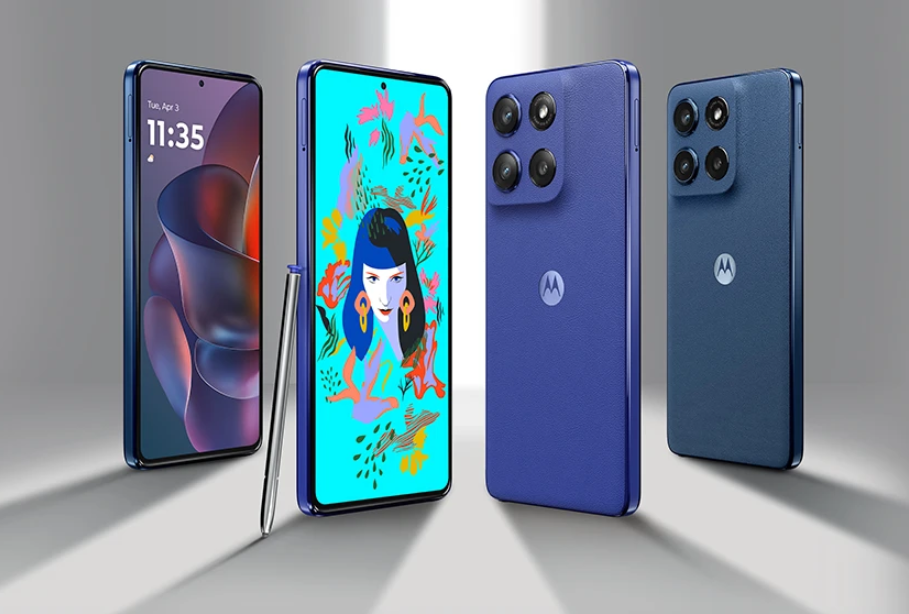
Processor
Motorola Edge 60 Fusion
The Motorola Edge 60 Fusion is powered by the MediaTek Dimensity 7400, an advanced 4nm octa-core chipset designed for smooth multitasking, gaming, and efficient performance. It features a CPU clocked at up to 2.5 GHz with a combination of four Cortex-A78 cores and four Cortex-A55 cores for balanced power and energy efficiency. The GPU is the Mali-G615 MC2, providing excellent graphics performance. This chipset is paired with up to 12GB of LPDDR5 RAM ensuring fast app launches, fluid multitasking, and overall snappy interaction. The combination delivers flagship-level performance while maintaining battery efficiency. It runs Android 15 with Motorola’s optimized interface, supporting AI features and a seamless user experience.
Motorola Edge 60 Stylus
The Motorola Edge 60 Stylus is equipped with a slightly less powerful but still capable chipset, the MediaTek Dimensity 6080+, crafted on a 7nm process. It features a dual-cluster octa-core setup with CPUs clocked up to 2.2 GHz and integrates a Mali-G57 GPU suitable for moderate gaming, video playback, and multitasking tasks but not as powerful as the Dimensity 7400. The Edge 60 Stylus usually comes with 8GB of LPDDR4X RAM allowing smooth stylus-driven interactions like drawing, note-taking, and light multitasking, optimized for creativity and productivity rather than raw speed.
In summary, the Edge 60 Fusion’s Dimensity 7400 offers superior performance with newer architecture and faster RAM, making it ideal for power users and gamers, while the Edge 60 Stylus balances everyday tasks with stylus-enhanced productivity at a more affordable level.
Camera
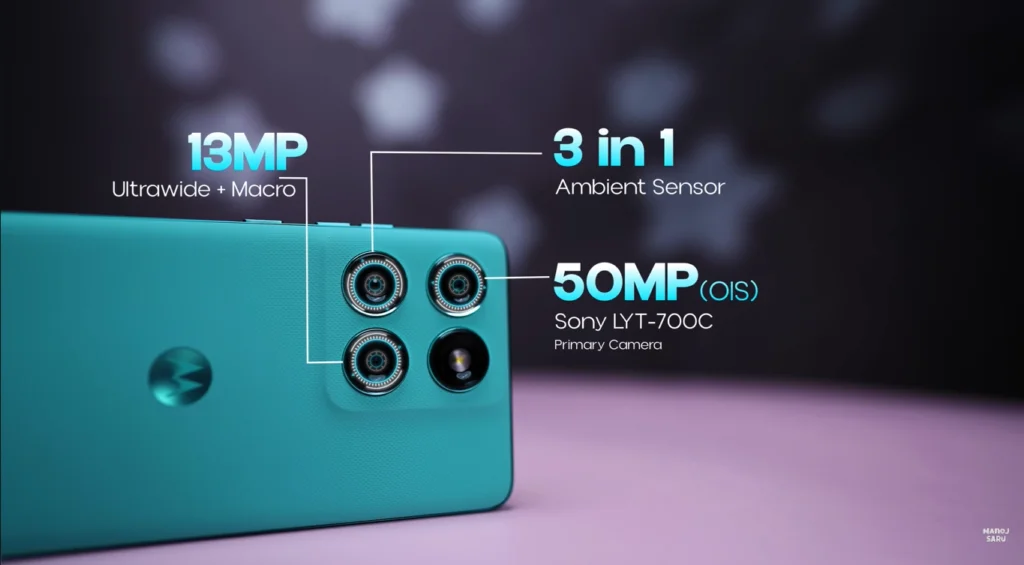
The Motorola Edge 60 Fusion features a dual rear camera setup with a 50MP main sensor (Sony Lytia 700C) featuring f/1.88 aperture, OIS, and multi-directional PDAF, paired with a 13MP ultrawide camera that also supports autofocus and macro photography. The 32MP front camera delivers detailed wide-angle selfies. The camera performs well in daylight producing punchy colors with good sharpness and contrast, and it supports 4K video recording with electronic image stabilization for steady footage. Low-light photos are decent with some oversharpening, and ultrawide shots offer higher detail than average in this segment, though some focus hunting is occasionally noticed in videos.
The Motorola Edge 60 Stylus comes with a capable camera setup designed for everyday photography and stylus-enhanced creativity. It typically includes a 50MP primary camera with decent processing, supported by additional sensors for ultra-wide and macro shots. While it may lack some of the advanced stabilization and video features of the Fusion, it still offers good image clarity and functionality for casual users focusing on note-taking and media capture with the stylus.
In short, the Edge 60 Fusion excels with a more refined camera experience suited for enthusiasts and vloggers, while the Edge 60 Stylus balances solid imaging with productivity features centered around its stylus capabilities.
| Feature | Motorola Edge 60 Fusion | Motorola Edge 60 Stylus |
|---|---|---|
| Display | 6.67″ quad-curved pOLED, 120Hz, 4500 nits peak brightness, Gorilla Glass 7i protection, 2712 x 1220 pixels resolution, 10-bit colors, HDR10+ | 6.67″ pOLED, 120Hz, 3000 nits peak brightness, Gorilla Glass 3, 2712 x 1220 pixels resolution, 10-bit colors, HDR support |
| Processor | MediaTek Dimensity 7400 (4nm) | Qualcomm Snapdragon 7s Gen 2 (4nm) |
| RAM | 8GB / 12GB LPDDR5 | 8GB LPDDR4X |
| Storage | 256GB UFS 2.2, expandable up to 1TB | 256GB UFS 2.2, expandable up to 1TB |
| Rear Cameras | 50MP Sony LYTIA 700C with OIS + 13MP ultra-wide | 50MP main + 13MP ultra-wide |
| Front Camera | 32MP with autofocus | 32MP with autofocus |
| Battery | 5500mAh with 68W wired charging, no wireless charging | 5000mAh with 68W wired charging + 15W wireless charging |
| Build & Durability | IP68/69 rated, MIL-STD-810H, Gorilla Glass 7i, eco-leather back | IP68 rated, MIL-STD-810H, Gorilla Glass 3, vegan leather back |
| NFC | Not available | Supported |
| Stylus | No | Yes |
| Weight | 180.1 grams | 191 grams |
| Software | Android 15, 3 years OS updates, 4 years security updates | Android 15, 2 years OS updates, 3 years security updates |
| Special Features | Pantone color calibration, higher brightness display, faster processor | Built-in stylus, wireless charging |
price
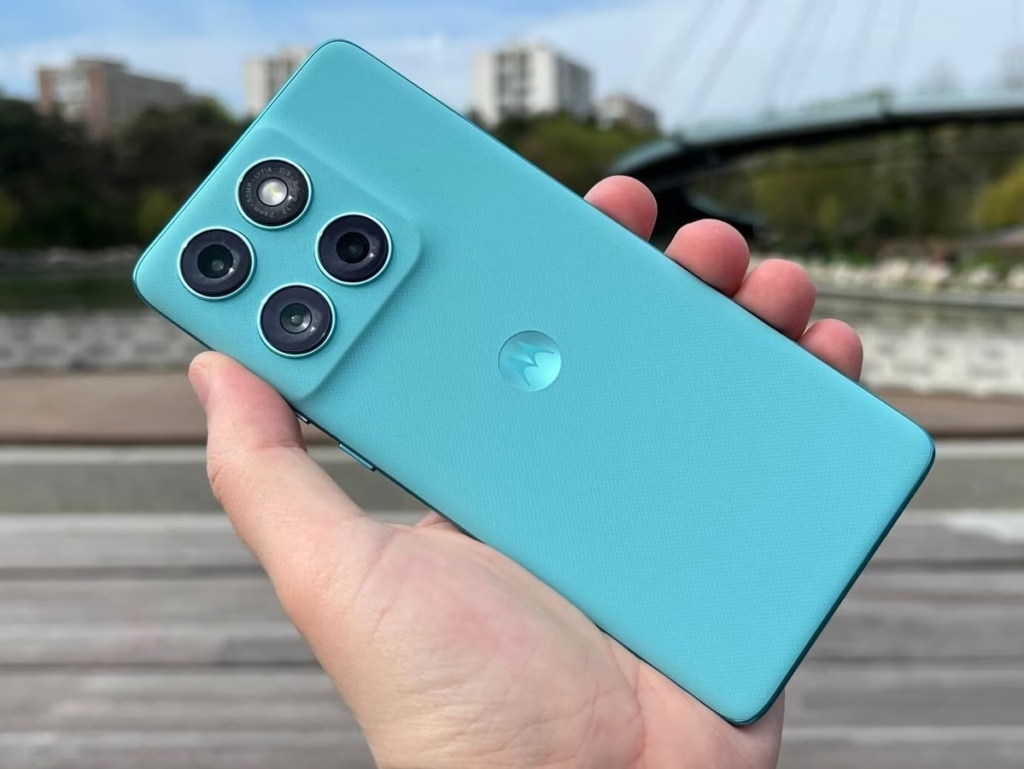
- Motorola Edge 60 Fusion: Starts around ₹22,999 for the 8GB RAM + 256GB storage variant and goes up to about ₹24,999 for the 12GB + 256GB variant. It features 5,500mAh battery, quad-curved pOLED display, and a MediaTek Dimensity 7400 processor.
- Motorola Edge 60 Stylus: Priced slightly lower, around ₹23,249, featuring 8GB RAM and 256GB storage. It includes the productivity-focused stylus, Snapdragon 7s Gen 2 processor, and a vibrant OLED display with wireless charging support.
Both devices offer strong value for their respective price points, with the Fusion leaning toward premium hardware and the Stylus emphasizing creativity and productivity features.
Q & A
- What makes the Motorola Edge 60 Fusion’s display unique compared to other phones in its segment?
The Edge 60 Fusion features a quad-curved pOLED display with Pantone color validation, delivering 4500 nits peak brightness and 100% DCI-P3 color gamut coverage. This combination ensures highly accurate colors and exceptional visibility even in bright sunlight, which is rare in mid-range phones. - How does Motorola’s RAM Boost technology in the Edge 60 Fusion enhance performance?
RAM Boost allows the device to use a portion of its internal storage as virtual RAM dynamically, enabling smoother multitasking and faster app launches, effectively increasing available memory beyond the physical RAM capacity—especially beneficial for heavy users. - Does the Motorola Edge 60 Stylus have any special software features tied to its stylus functionality?
Yes, the Edge 60 Stylus offers integrated Moto Note, Moto Sketch, and instant screenshot markup features, allowing users to quickly jot, draw, and annotate directly on the screen, enhancing productivity and creative workflows beyond what standard smartphones provide. - What durability standards does the Motorola Edge 60 Fusion meet?
The Edge 60 Fusion is IP68 and IP69 rated for water and dust resistance, and it meets MIL-STD-810H military standards, meaning it can withstand harsh environmental conditions including heat, humidity, dust, and water jets—higher than typical ratings for phones in this price range. - How does the Edge 60 Fusion’s camera stabilization compare to the Stylus?
The Edge 60 Fusion uses Optical Image Stabilization (OIS) on its 50MP main sensor, providing steadier, blur-free photos and smoother video compared to the Stylus, which relies more on electronic stabilization, resulting in less effective shake compensation in videos and low-light images.
These answers cover distinctive features and technologies that set these Motorola phones apart in their categories.



Thank you for your sharing. I am worried that I lack creative ideas. It is your article that makes me full of hope. Thank you. But, I have a question, can you help me?
Thanks, pls go ahead.
Thanks for sharing. I read many of your blog posts, cool, your blog is very good.
Your point of view caught my eye and was very interesting. Thanks. I have a question for you.
Can you be more specific about the content of your article? After reading it, I still have some doubts. Hope you can help me.
Your point of view caught my eye and was very interesting. Thanks. I have a question for you. https://www.binance.com/ar-BH/register?ref=S5H7X3LP
Your point of view caught my eye and was very interesting. Thanks. I have a question for you.
Your article helped me a lot, is there any more related content? Thanks!
I don’t think the title of your article matches the content lol. Just kidding, mainly because I had some doubts after reading the article. https://www.binance.bh/da-DK/register?ref=V3MG69RO